If it's not where they're working, they won't use it.
Your content library, in every browser tab.
Chrome + Edge extension. Search the library, grab a tracking link, paste it into Gmail, LinkedIn, Outreach, or the CRM. Five seconds. No tab switching.
Updated October 2026
The Content Camel browser extension puts your entire content library inside Gmail, LinkedIn, and your CRM, so reps never leave the tab they’re working in to find and share an asset. Install it once; it works everywhere reps already sell.
The tab-switching tax
You invested in a content platform. Reps have to open a separate tab, log in, search, find the asset, copy the link, switch back to their email, and paste. They stop doing it after week two.
CRM integrations put your content in a tiny sidebar that nobody opens. Sales reps don’t live in the CRM content widget. They live in Gmail and LinkedIn.
The whole point of organized content is that reps use it. If using it adds friction, they go back to their desktop folder of ‘stuff I saved last month.’
The adoption problem is a workflow problem
83% of sales content goes unused. Not because it’s bad — because reps can’t find it when they need it, where they need it.
Context-switching kills momentum. Rep is writing a follow-up in Gmail. To find the right case study, they open a new tab, log into the content platform, search, copy the link, switch back. After the third time, they stop doing it.
Enterprise tools hide behind CRM sidebar widgets. Nobody opens them. Reps don’t live in CRM content panels. They live in Gmail, LinkedIn, and Outreach.
No content tool means reps improvise. They Google for the asset, find a personal copy from six months ago, and send an outdated version.
What the Browser Extension gives you
In every tab, always
The extension mounts a small panel in the browser. Search, browse, and share content without switching away from whatever the rep is working on.
One-click tracking links
Find the asset, click Copy Link, paste into the email. The link is tracked. You'll know when the prospect opens it.
Works in Gmail, LinkedIn, Outreach, Salesloft
Wherever the rep is typing a message to a prospect, the extension is right there. No separate tab. No separate login.
Add content on the fly
Rep finds a great article, a competitor page, or a customer-shared resource? Click the extension and add it to the library right from the browser.
Zero training
Install the extension. Done. If they can use a browser, they can use this.
See the Browser Extension in action
Short walkthrough video — coming soon
Find it, link it, send it. Without leaving Gmail.
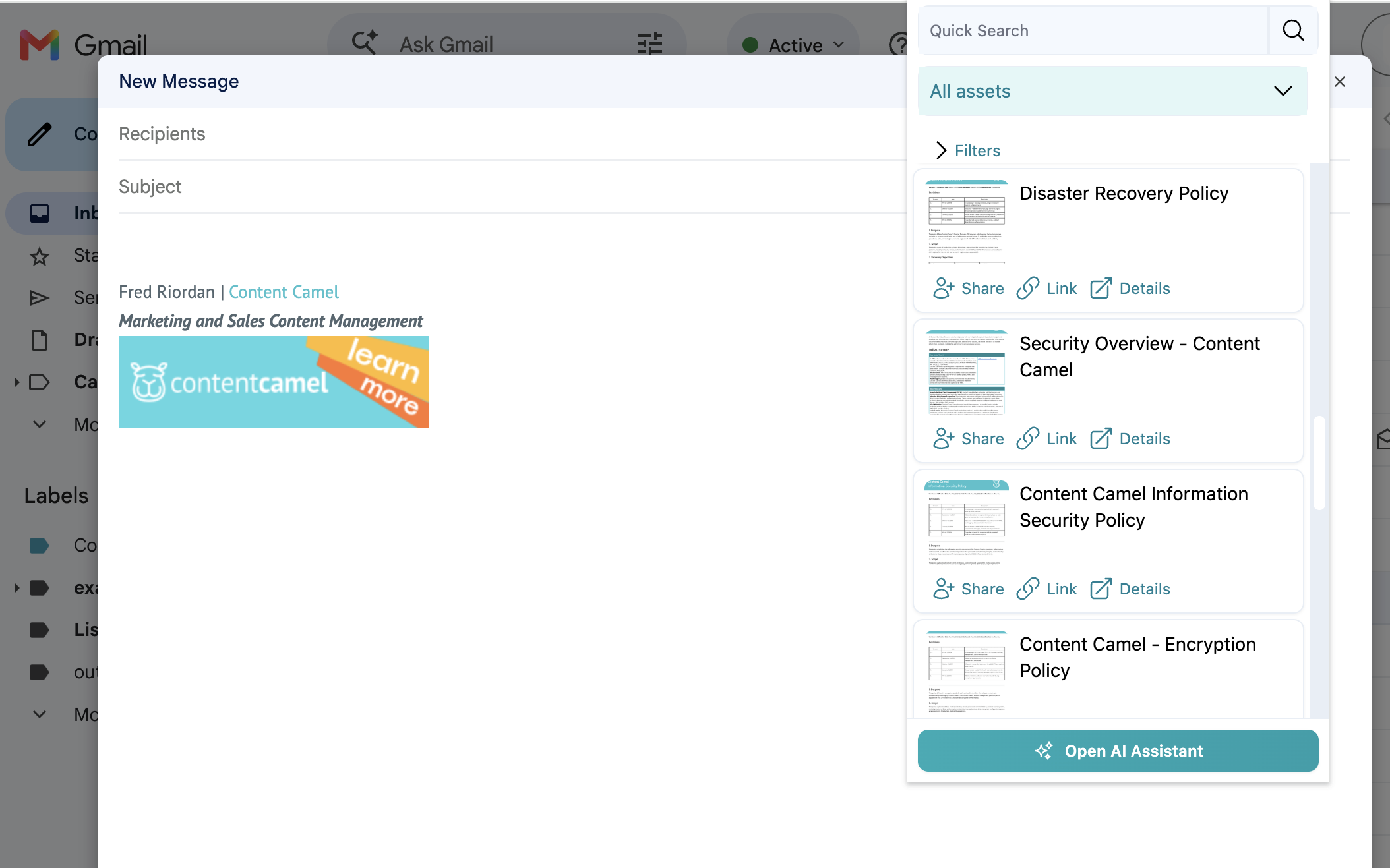
Your library, one click from the compose window. Search, filter, or ask the AI assistant.
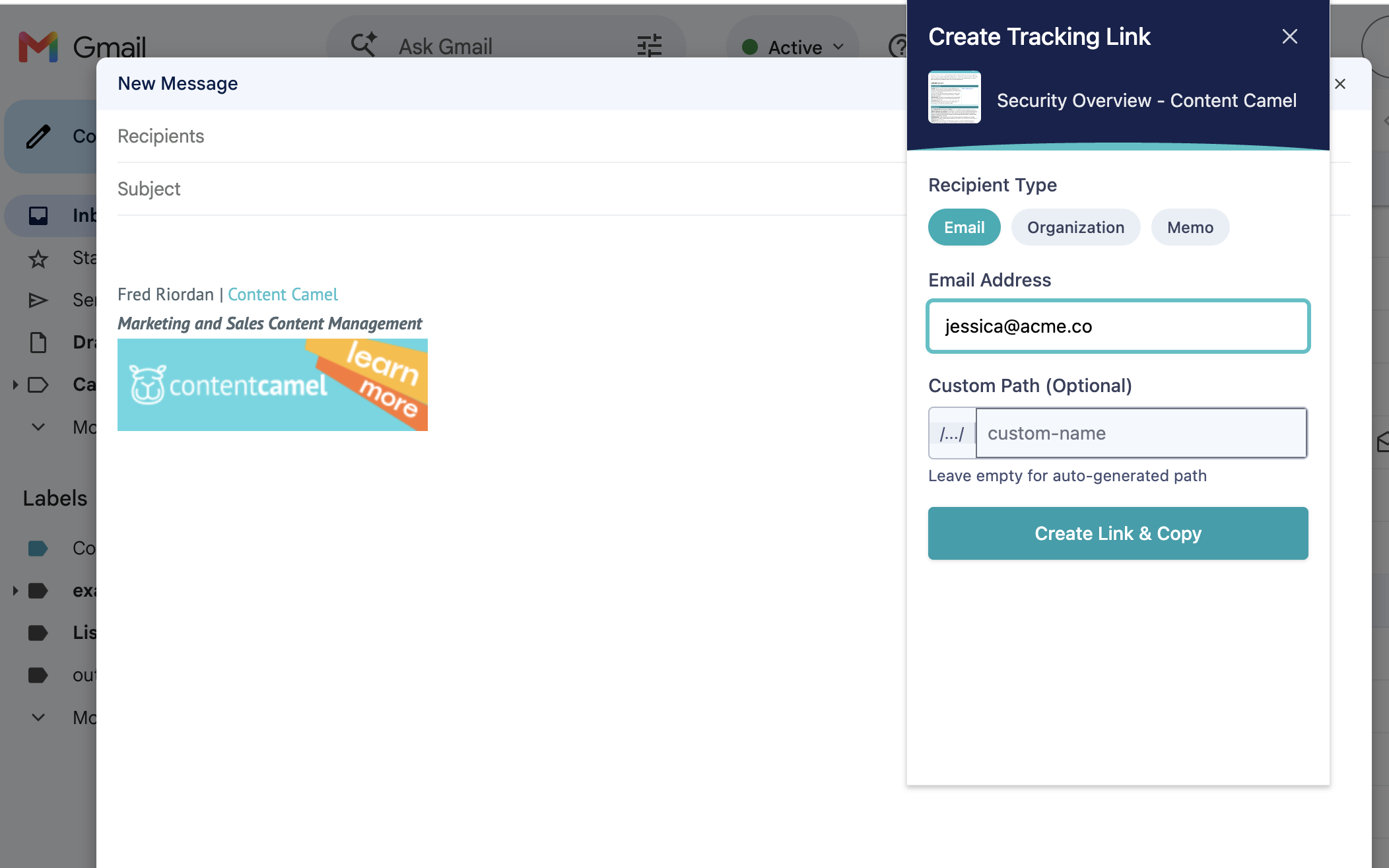
Name the recipient and the link is tracked to them. Paste it as a URL or a card.
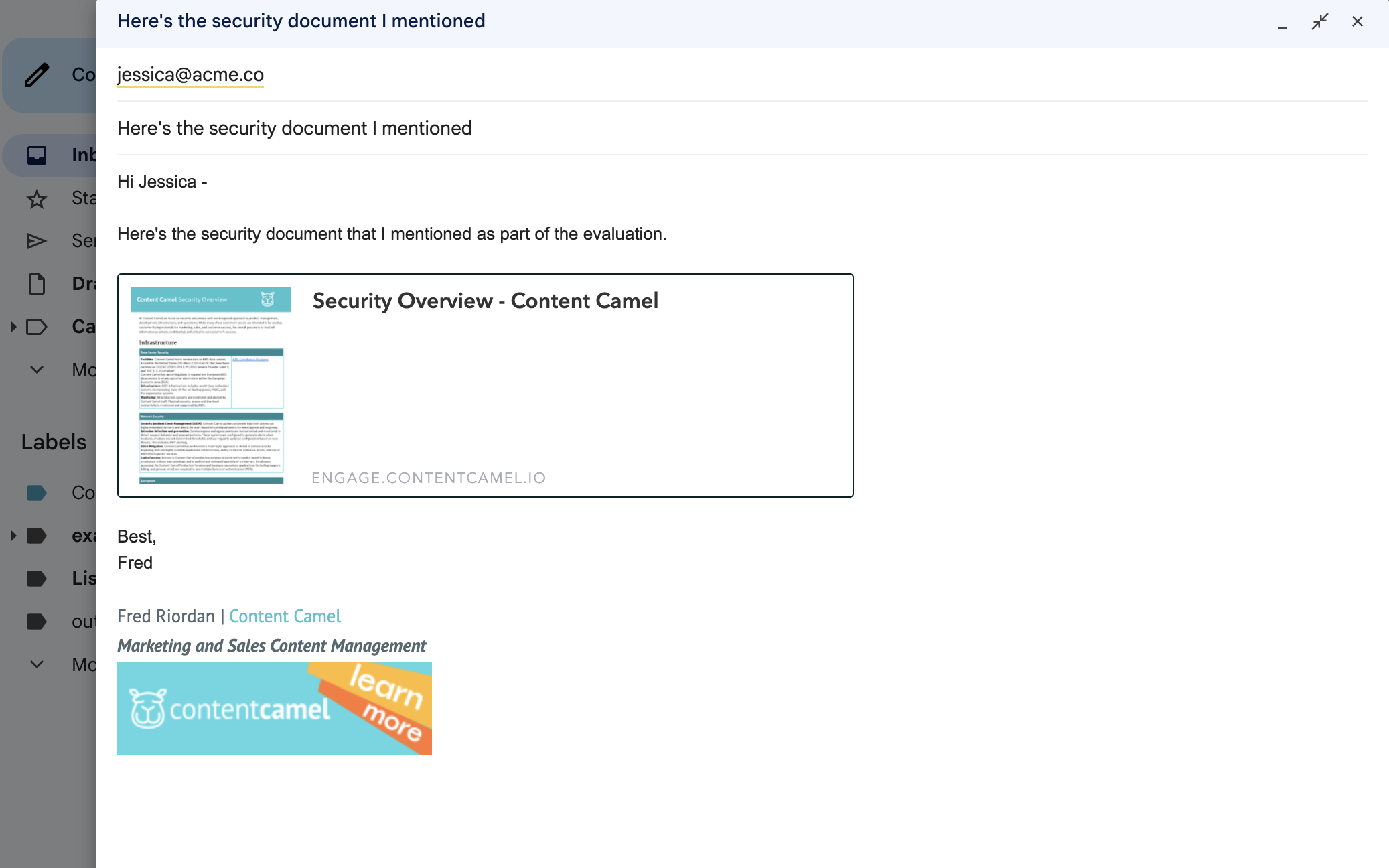
What lands in the email: a card the prospect can open, and an open you can see.
How teams use the Browser Extension

Rep writing a follow-up in Gmail
Click the CC extension icon. Search ‘case study fintech.’ Grab a tracked link. Paste it into the email. The prospect clicks it 20 minutes later — you get a notification.

Rep updating a deal in Salesforce
The extension is right there in the browser. Pull up the battle card for the competitor the prospect mentioned. Share it with the account executive. No new tab, no separate app.

SDR running an Outreach sequence
Each email step needs a relevant asset. Open the extension, find the right content for each stage, and drop tracked links into the sequence. Every share is logged. Marketing sees which assets drive replies.

Rep on LinkedIn reaching out to a prospect
Open the extension from the LinkedIn tab. Find the industry-specific one-pager. Copy the tracked link. Paste it into the LinkedIn message. Professional, branded, trackable.
5 sec
to find and share content
Chrome + Edge
browser support
Zero
training required
"Instead of having to dig through a G Drive or send a Slack message to someone like me."Marketing Manager, Transportation Tech — on how reps found content before
Frequently asked questions
What browsers does the extension support?
Does the extension work inside Salesforce and HubSpot?
Do I need to log in separately in the extension?
Can reps add content to the library from the extension?
Is there training required to use the extension?
Are links shared from the extension tracked the same as links shared from the app?
Does the extension work in LinkedIn and Outreach, not just email?
Put content where your reps already work.
Install the extension. Reps find content in seconds. Free plan available.