On this page
Most marketers I talk to and see are still swinging a hammer with AI.
They open ChatGPT, type a prompt, get something back, paste it into a doc, edit it heavily, ask again, edit some more. Same loop, all day. And then they wonder why the whole thing isn’t twenty times faster like the headlines said it would be.
Keith Holloway and I ran our second webinar in a series on that exact gap, Prompts to Pipelines, and the whole point was what actually changes when you stop using AI like a computer and start using it like a teammate. Or really, a whole team of them, running in the background while you sleep.
Almost everything we covered is stuff we’ve built in the last six months ourselves. Lots of non-obvious hard lessons learned in the process of building these systems out. This is the recap post, with the lines and stories I think are the most impactful from the webinar. The full recording is here too:
You’re not going to prompt your way out
What we led with on the call: stop treating AI like a computer. Start treating it like a teammate. A really fast one, but a brand-new one.
The way I said it:
“It’s like hiring an extremely intelligent person who just graduated. The best junior you’ve ever hired, who can type really, really fast. And then putting whole teams of those together.”
A junior, even a great one, does not show up knowing your products, your pricing, your buyer, your tone, or what last week’s sales call uncovered. You’d never expect them to. You sit them down for a couple of days (or ideally longer) and walk them through how the place works.
People skip that step with AI. They drop in a prompt and get frustrated when it sounds like a stranger wrote it.
So the rest of the webinar was the practical version of that walk-the-new-hire-through-the-business move. We broke it into three phases.
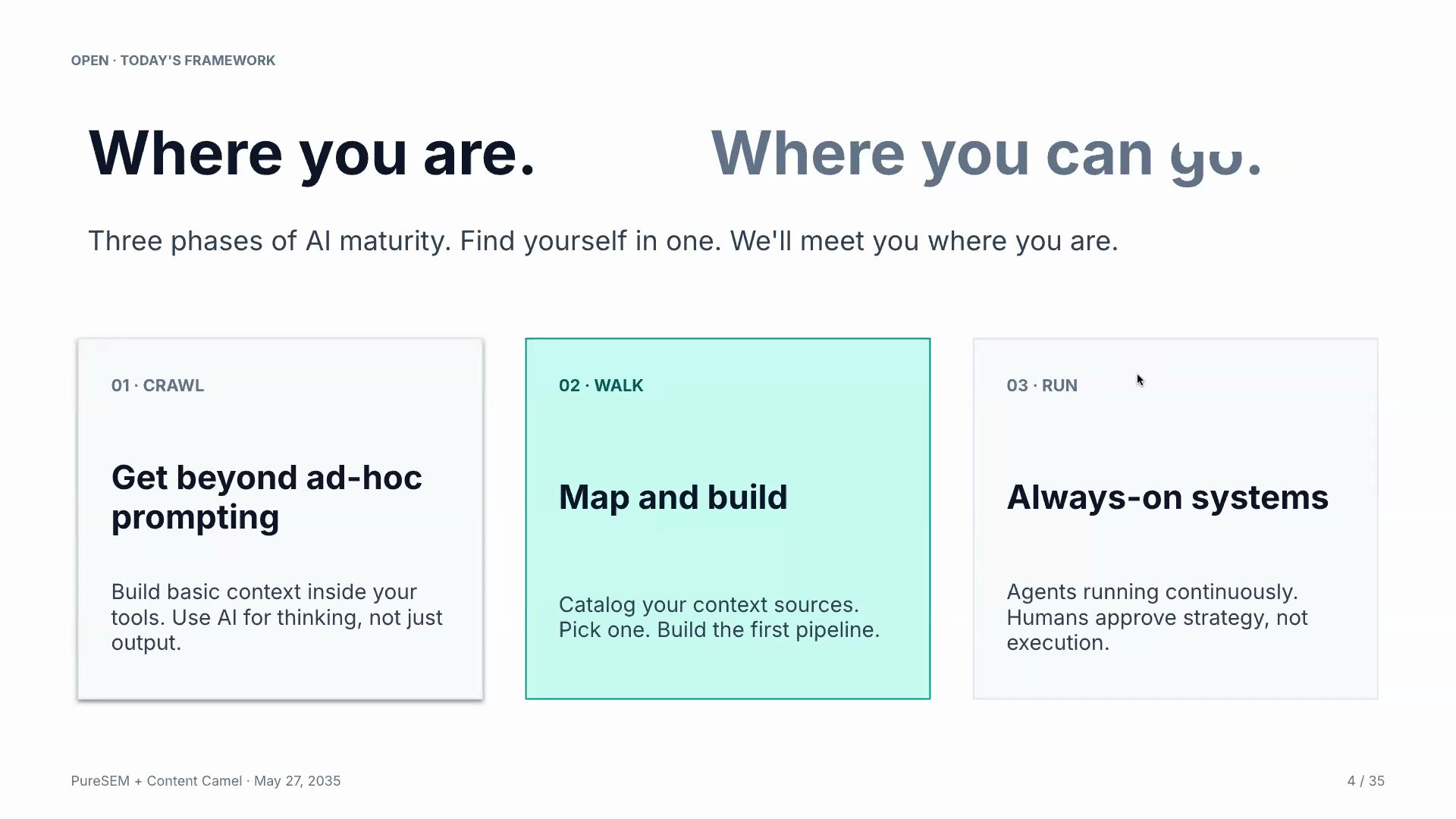
Crawl: get out of the prompt box
The first move is small and a little embarrassing. You stop typing prompts cold and start using projects.
Most “smart” users still don’t. Keith on it:
“Smart people are using projects, but they’re using them empty. They’re just using projects as a way to organize chats, which is a good start, because at least all your chats about the same topic are in a same place. But if you don’t use the instructions and the files, you’re missing a huge amount of value.”
A loaded project has two pieces. Instructions, which is the job description, the steps, the tone, what to do and what not to do. And files, the brand stuff, your messaging, examples of good work, a price list, anything else a new hire would need on day one.
That’s it. It’s not fancy. The files are markdown. You can ask Claude or ChatGPT to write the instructions for you if you don’t know where to start.
Keith had this story that really showcases how things can come together:
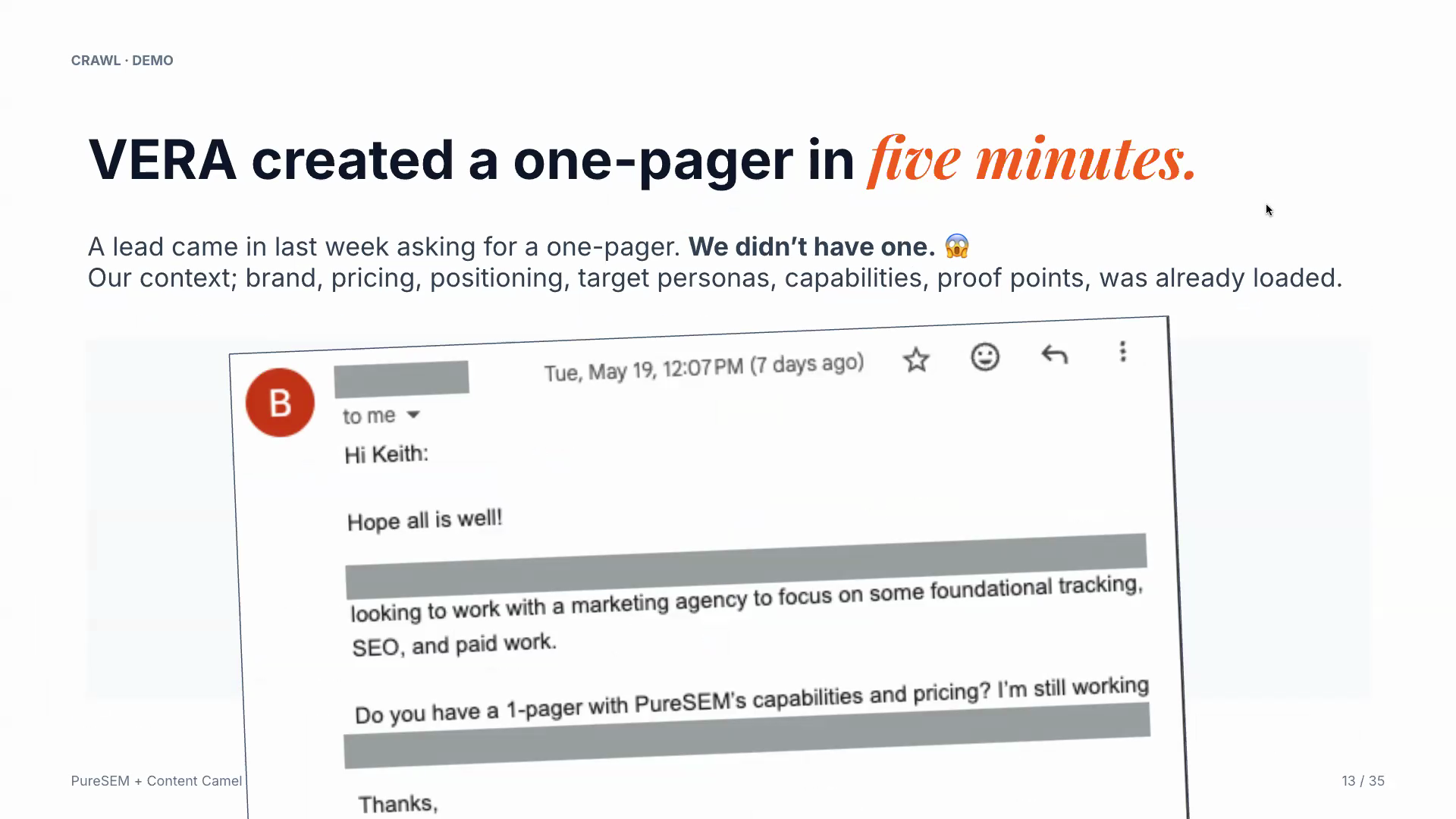
“I had a lead last week that came in from a very big referral source. He asked for a one-pager. I thought, oh boy, I don’t have a one-pager. So I literally took a screenshot of the email and dropped it in the project. And it generated a one-pager, because it knows everything about us. It knows what we do, who we are, who we serve, complete price list, testimonials, the whole thing. It’s perfectly tailored to the email and to the company, and I was able to respond to that request in less than half an hour.”
Now compare that to one-shot prompting, where you’re feeding the model info about your business one chat window at a time.
“Without the instructions and the context, you’re going to spend an awful lot of back and forth and taking it into yourself and a lot of editing. Which is why, that would not be faster.”
That would not be faster. If your AI workflow isn’t actually faster, you skipped the context. The whole crawl phase is fixing that. One project, properly loaded.
Walk: where the hell do you put all this stuff
The number one question we got out of our first webinar was where do you actually store all this context, especially the parts that change every week.
And, for the most important parts that actually change every week – actually every day – the answer is your sales call transcripts.
Is your sales team recording every call? Every single one, not just the ones you remember to start. Are those transcripts landing in one place that AI and marketing can actually reach? For most teams the answer is no, and that’s the easiest, highest-leverage fix on the list.
“If you focus on just one thing, get the sales transcripts nailed. Because that is just the single best source of information that will completely transform what’s possible with these tools overnight. You’ve got a live stream of voice of the customer, objections, and insights. It’s foundational level gain.”
Once that’s flowing, the rest of the mapping gets easier. We use eight buckets to think about it, and the exercise is to focus on the highest value area first, knock it out, and then move on to the next.
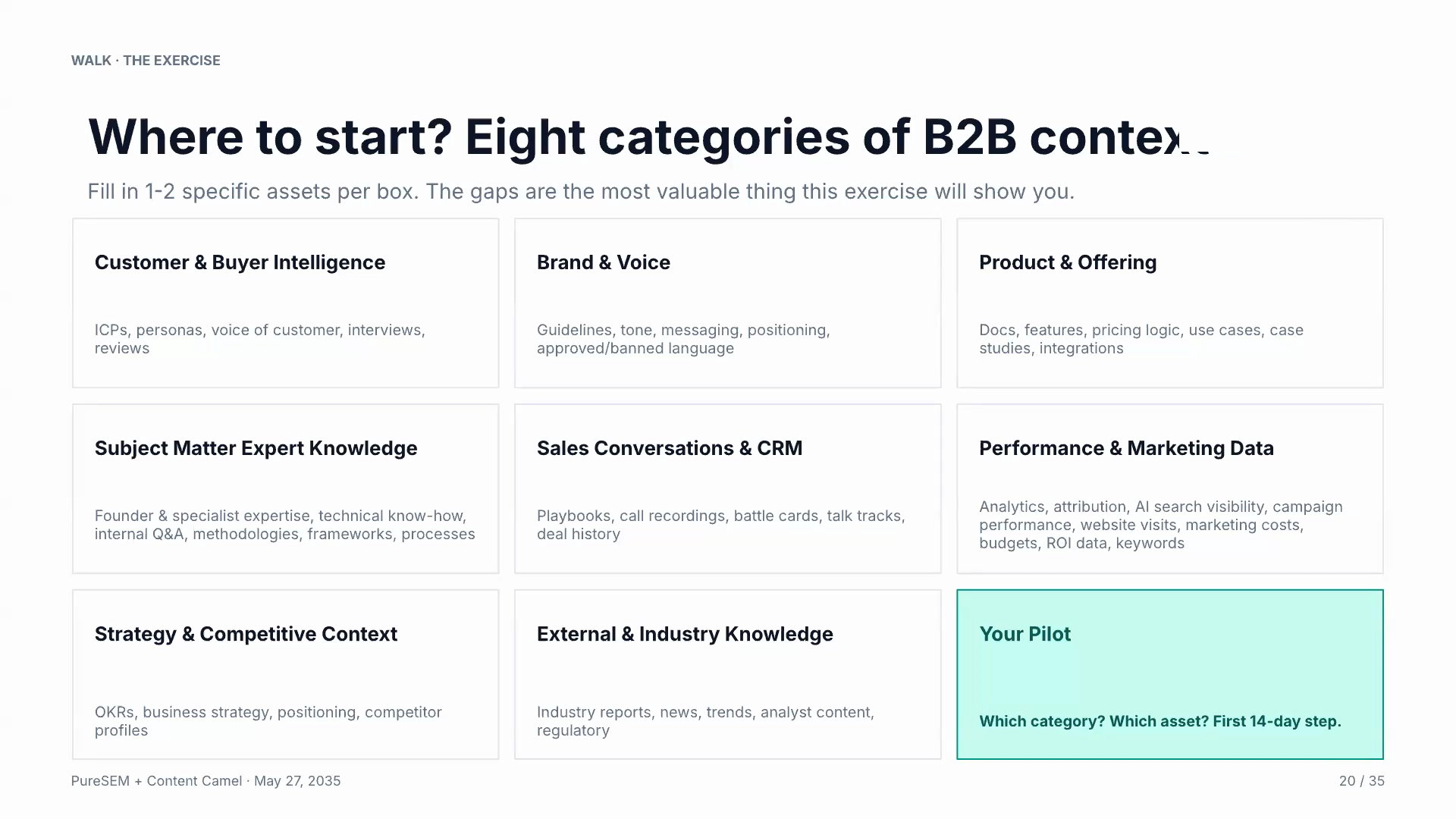
It can all be overwhelming, but you can follow this map and work with your team. Find the highest impact to the business in these areas that are mapped out. Build out the foundational level context we hit on in Crawl, and get next-level organized in Run.
Two practical tools that did not exist a year ago and make this much easier today:
Team workspace accounts on Claude, ChatGPT, Gemini, or Microsoft Copilot. All four support shared projects now. You build one proposal-generation project, load it with your actual stuff, share it, and the whole sales team runs on the same brain instead of forty different chat histories. Keith’s words: “the project itself gets smarter and smarter.” That’s your shared context, owned by marketing with no complicated IT or engineering effort needed.
MCP servers. Sounds technical but it’s basically the new version of an API. Once you’re on a paid account, you can plug Slack, Google Drive, SharePoint, ClickUp, your CRM, and a hundred other tools straight into a project, no upload required. They’re free with the paid account you already have. That’s how the project starts reading from the stuff that changes every day (call notes in Slack, fresh docs in Drive) without anyone managing it by hand.
That’s the walk phase. Shared context, real sources, and this gets your team off the disconnected prompt treadmill.
Run: a team of teams, while you sleep
The run phase is where it stops feeling like AI assistance and starts feeling like a second company quietly working underneath your first one.
Keith and I built different systems, but it ended up looking convergently similar.
“What I’m finding now is, I built this, and I built this, and because we have those two things, that means I can build this. And it just keeps layering on. We have this compounding effect.”
The compounding is the part that I’m most excited about. You connect two pipelines and a third becomes possible that maybe you didn’t plan for.
On our side, three always-on systems run internally today.
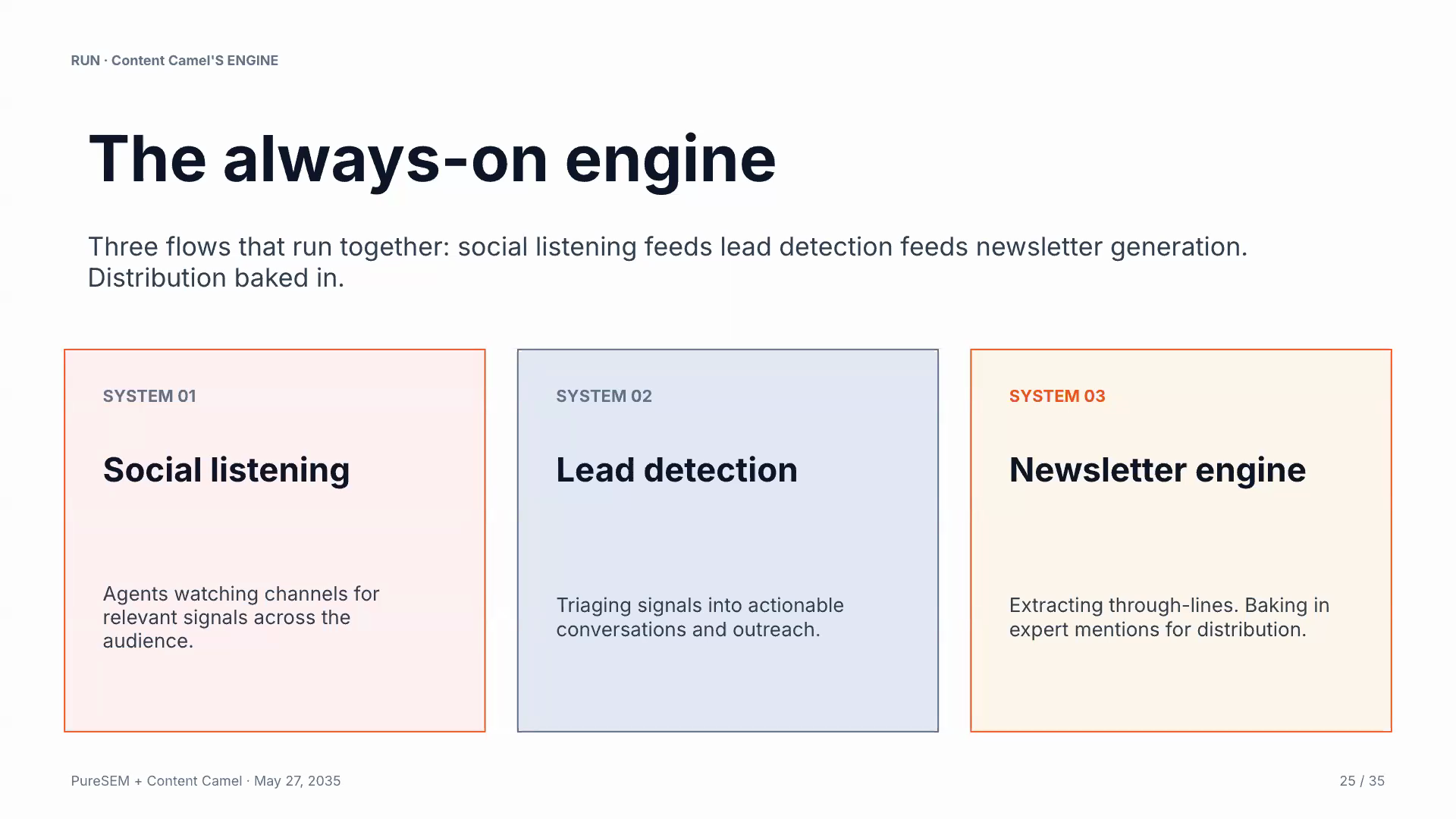
- Social listening. A pipeline scanning LinkedIn, Reddit, and a handful of Slack communities for buyer signals. About 130 a day for us. Every signal gets filtered through everything we know about our ICP (most of which came out of those sales transcripts) and classified.
- Lead detection. Anything promising gets enriched, drafted in three message modes (LinkedIn DM, invite, short email), and dropped into a Slack channel queued up for any rep to pick. CRM updated in the same flow.
- Newsletter engine. Source scoring agent, a BS detector that filters out hype posts, an assembly agent that pulls a through-line across the week’s stories, drafts in our voice, hands off to a human editor for the final pass.
The point isn’t the architecture. It’s that nobody on the team is sitting at a prompt for any of that anymore. They’re sitting way up “the stack” - Human in the Loop (HIL), but at the very end of decision making.
Keith showed his side too. He started with one Claude project called Vera and ended up with twenty-two agents running on top of Google Cloud, BigQuery, and a full set of his own MCP servers. Vera does brand intelligence, competitive analysis, content strategy, internal linking, analyst work, and account management for PureSEM’s clients. Imagine what’s possible - from one project to a full-blown AI account team, in a few months.
And this isn’t just a big company advantage.
“It gives an advantage even to smaller companies. Because it’s very hard for a large company to do this. They can deploy systems, but it takes a long time for training and deployment. A small, agile team can start to have tooling that is equal or better than a multinational at this point.”
That’s where I think the next two or three years really shake out. And this might just be the most disruptive part of this transformation.
“But won’t the writing sound like AI?”
This was one of the best questions in the Q&A. The honest answer is yes, if you don’t pay attention to what we covered regarding foundational context.
The fix is to run it through the same plan-do-check-act loop you’d run anything else through. Multiple agents. The writer is one of them. The editor is a completely different one, whose only job is to strip the AI tells. A QA pass on top of that, because the editor misses things. But even before that, the transcripts, and docs, and brand guidelines, and review of your existing writing lays the supremely important foundation.
“You can ask AI to write an article and avoid em dashes, and it’ll write an article and there’ll still be em dashes. So you need to have another system afterwards, the editor. Its only job is to look for the things that you didn’t want, and make sure it has the things that you do want.”
Our content production floor runs thirteen agents on a single piece, and that’s before counting the sources. Human last pass every time.
Two other points from the webinar that came up:
The future isn’t a thousand new posts. It’s fifty great pieces, constantly refreshed. (Google, ChatGPT, Claude) AI Overviews mostly cite content that’s been written or updated in the last six to twelve months. Your 2013 post about marketing trends is not doing anything for you anymore.
And content alone doesn’t solve distribution. If you spin up a thousand-page content farm with no plan to get any of it read, you have just built a more efficient version of the wrong thing.
Where to actually start
If you read all that and feel a little behind, that’s fine. Almost everyone is. But the time is now.
A real order of operations:
- Pick one painful workflow. Proposal writing. First-draft blog posts. Sales follow-up emails. Whatever bleeds the most time for your team this quarter.
- Build a loaded project for that one job. Instructions plus a small pile of your best examples and reference material. Keith’s one-pager project is the model.
- Plug in your sales transcripts. Even just into that one project, especially into that project. If you have to fix one input first, fix this one.
- Move it to the Team Workspace. So the whole group is running on the same brain instead of forty separate ChatGPT histories.
- Add MCP connectors to wherever your real context already lives. Drive, Slack, CRM. Whatever is bleeding signal today.
- Layer. Pick the next painful workflow. Repeat.
The compounding is real, but it doesn’t show up until you stack two or three of these. Going through this process always feel just a bit slower the first time. You’re building the foundation. You’re building real systems for the future.
The bigger thing under all of this
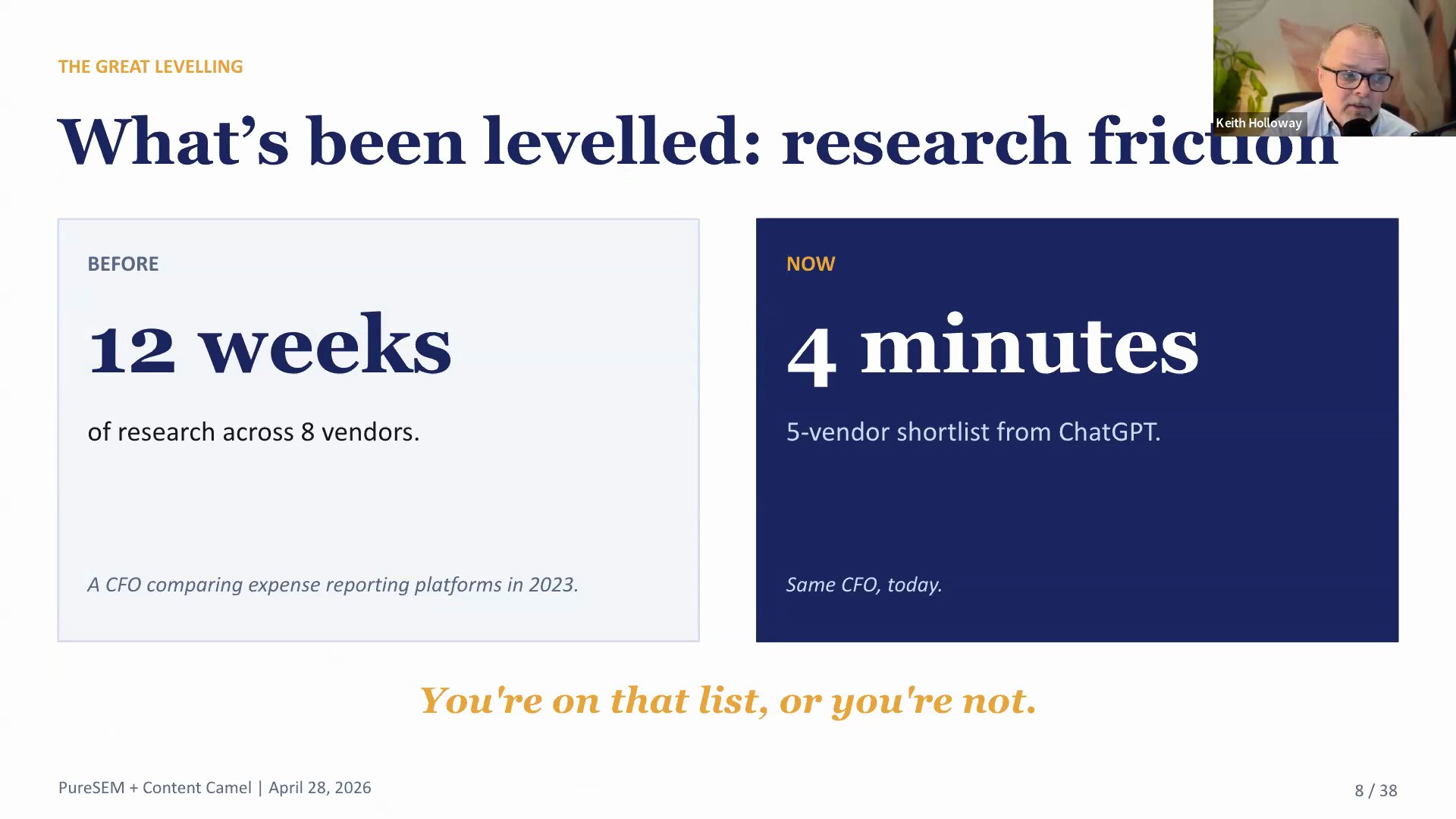
In the first webinar, Keith and I made the case that the buyer changed. AI now picks the shortlist, and you’re on it or you’re invisible. (Recap of that one is here.)
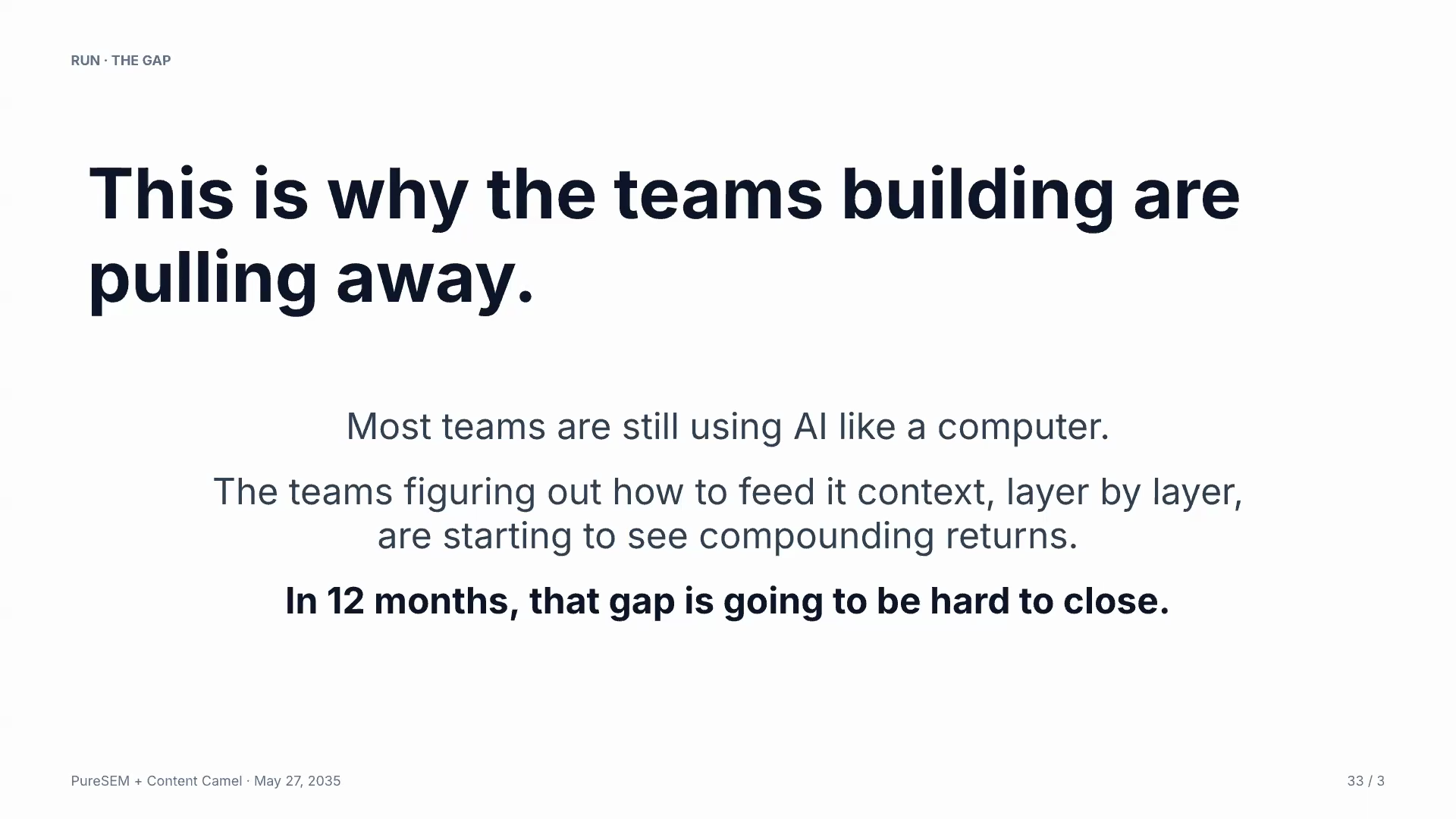
This one was the other half. The teams that can build for that new buyer are the ones running these context systems, not the ones with the cleverest (or most) prompts. From the close of the call:
“Just get your team to start thinking about systems rather than just prompts. It’s how can they systematize the work that they’re doing, and move up that stack. That’s where the leverage is.”
Two specific offers from this round if you want a hand on the first move.
Keith and PureSEM are running free AI visibility audits. Custom personas, prompts run across the four major models, a report on where you show up and where you don’t, and a prioritized action plan. Reach out to them.
Content Camel is where we centralize the context piece. Brand assets, decks, one-pagers, sales transcripts, the buyer-facing portals. If “I don’t know where to put all this stuff” is your blocker, that’s the blocker we built for. Start free.
Check out the full webinar right here
Whatever you do next, do something. Pick the workflow, build the project, plug in the transcripts. The compounding only starts once the first piece is in place.